
Your Business Doesn’t Stop at the Website.
Your website can collect leads, generate inquiries, support marketing campaigns, and connect customers with your business. Pravision brings that activity into one place so you can see what is happening, take action, and track what happens next.
A Form Submission Shouldn’t Get Lost in Your Inbox.
Website forms are valuable because they represent real people reaching out to your business. But when every submission becomes another email, finding an older inquiry or keeping track of the conversation can become difficult.
Website form submissions can be brought into the Pravision application, giving your business a more organized way to review submissions, identify customers or leads, and continue the conversation.
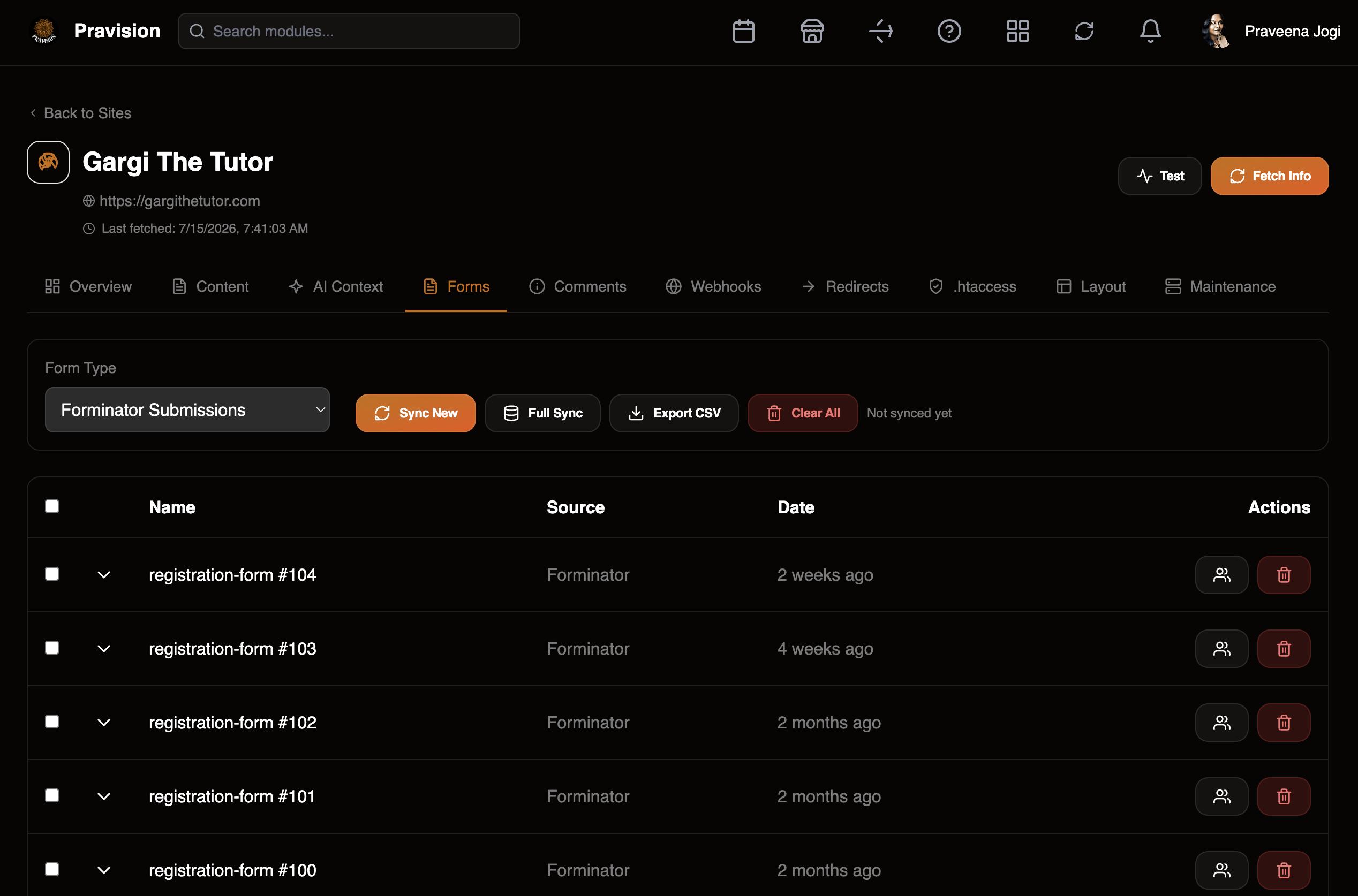
Customer Submits
A customer completes a contact, registration, quote, or other form on your website.
Pravision Captures
The submission becomes available inside the connected Pravision workflow for easier review.
Add to CRM
Relevant contacts can move into your customer management process for continued follow-up.
Continue the Conversation
Use connected communication tools to stay in touch with the customer or lead.
From a Website Submission to an Ongoing Customer Relationship.
The value is not one feature. It is what happens when the different parts of your business can work together.
Website Form
Pravision Forms
Customer / Lead
CRM
Communication
Engagement
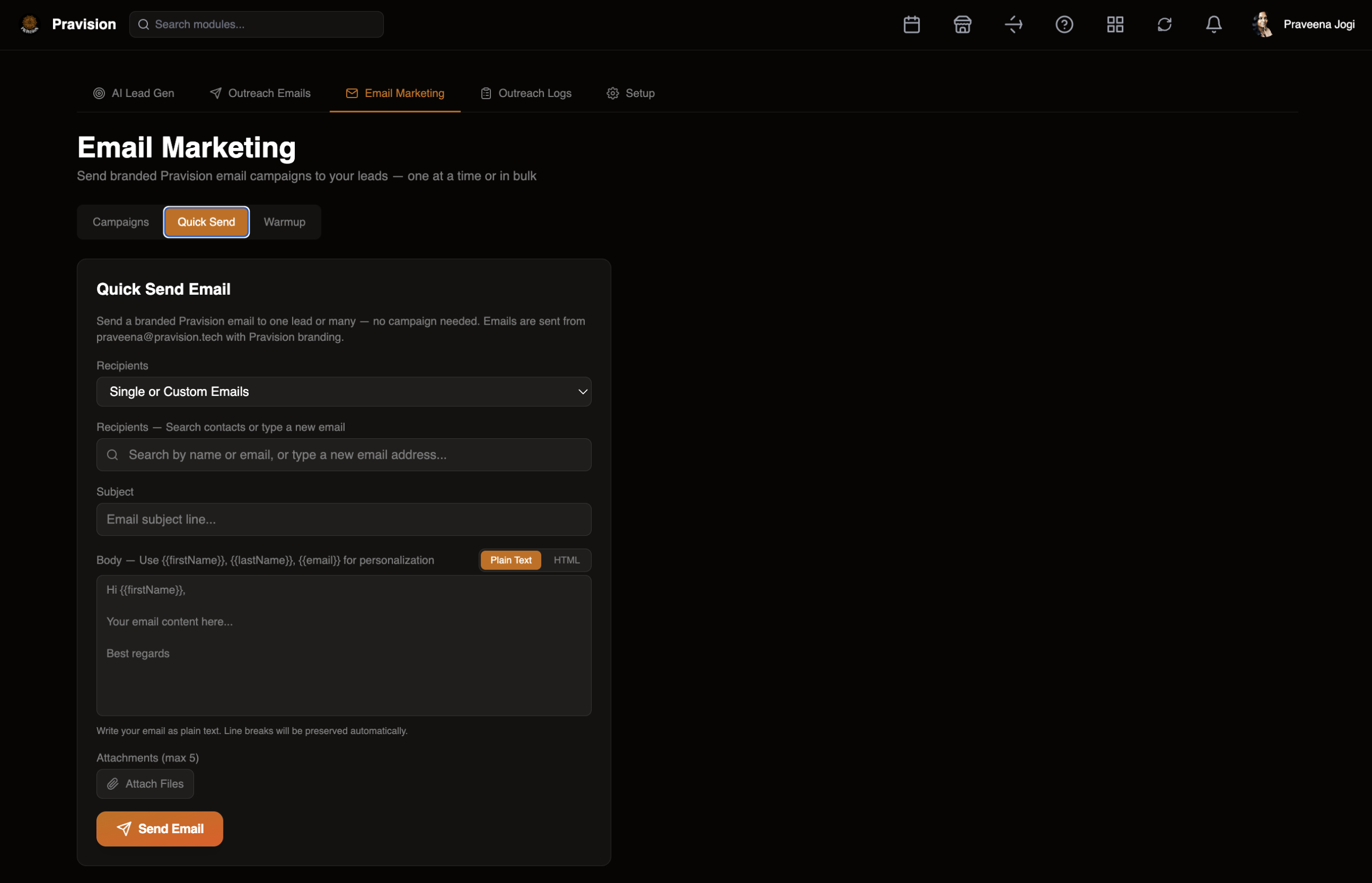
Keep Customer Communication Connected.
Once a customer or lead is part of your workflow, Pravision can help keep communication organized. Send individual or campaign-based emails while keeping marketing activity connected to the broader customer journey.
Send
Send branded communication to an individual contact or selected audience.
Personalize
Use available customer information to personalize communication.
Connect
Keep communication connected to the customer workflow.
Send the Message. See What Happened Next.
Sending an email is only the beginning. Pravision helps organize email activity so your business can better understand what happened after a message was sent.
Delivered
See whether messages were reported as successfully delivered.
Opened
View recorded email open activity where tracking is available.
Clicked
See tracked engagement with links included in emails.
Replied & Bounced
Keep visibility into replies where supported and identify delivery issues.
Create. Distribute. Measure.
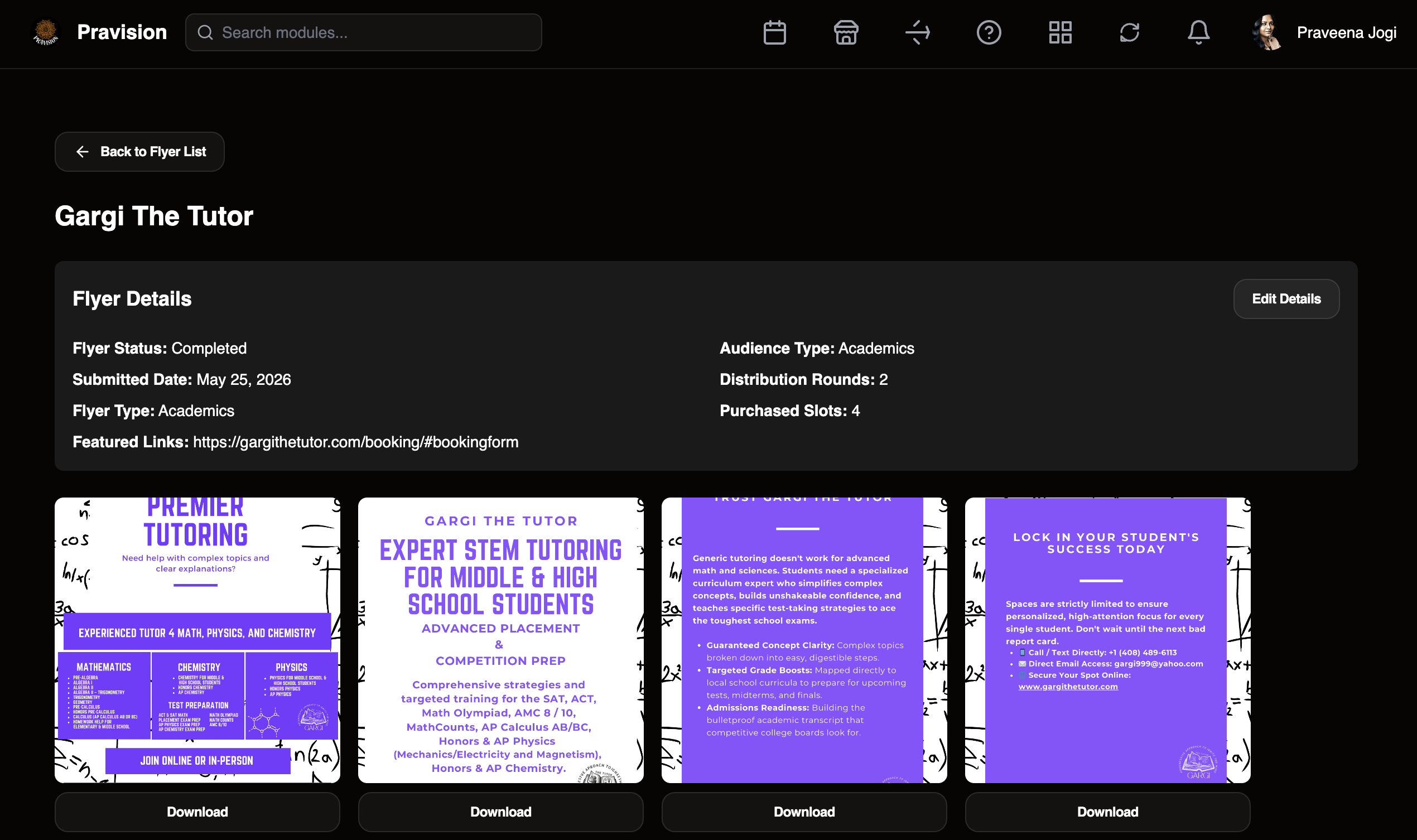
A tutoring company wanted to promote its services to local school communities. Pravision helped connect the creative work, campaign distribution, and performance reporting.
Create
Develop the promotional flyer around the tutoring company’s message and services.
Distribute
Submit the campaign for distribution to selected school communities.
Track
Keep visibility into campaign distribution status and activity.
Measure
Review campaign activity and performance reporting inside Pravision.
See Where Your Campaign Is Going.
Keep campaign distribution information organized, including destinations, scheduling, status, and campaign duration.
See More Than What Was Sent.
Pravision brings campaign activity together so businesses can see distribution and engagement information in one reporting view.
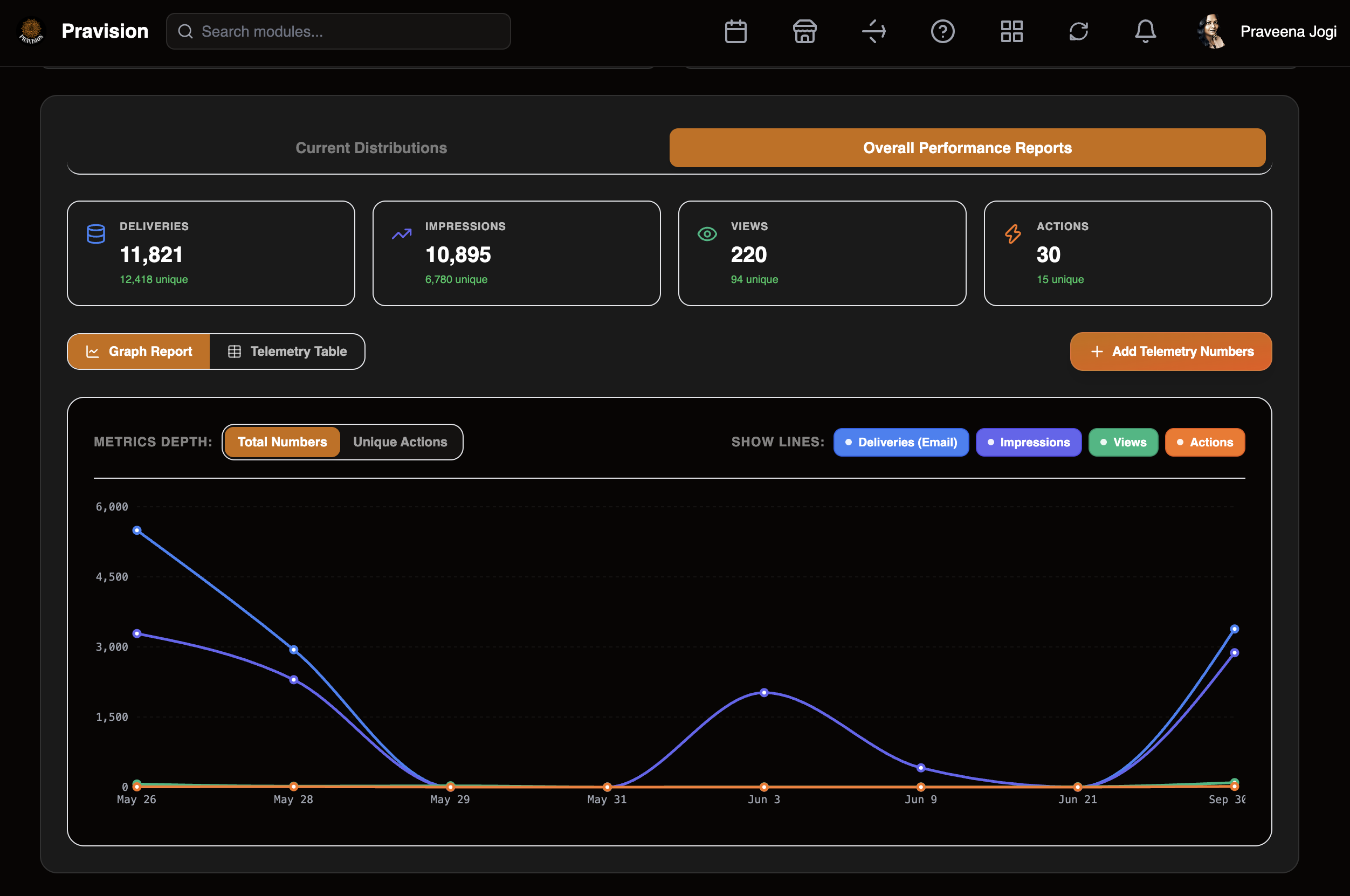
Deliveries
Number of emails reported as delivered to valid inboxes.
Impressions
Email opens and instances where the flyer was displayed to users.
Views
Instances where users viewed the full flyer webpage.
Actions
Tracked interactions such as Save Flyer, Share, Sign Up, Learn More, and other available actions.
Results shown represent one specific campaign and are provided as an example of Pravision’s reporting capabilities. Results vary by campaign, audience, content, distribution, and other factors.
It’s Not Another Dashboard. It’s the Connection Between Everything.
Pravision connects the digital work surrounding your business so information does not have to live across separate inboxes, spreadsheets, websites, and marketing tools.
Your Website
Forms, inquiries, customer interactions, and connected website activity.
Your Customers
Contacts and leads organized for continued communication and follow-up.
Your Marketing
Email campaigns, outreach, creative content, and distribution workflows.
Your Results
Visibility into delivery, engagement, actions, and campaign performance.
Built Around Your Business. Protected for Your Customers.
Screens shown on this page are demonstrations of Pravision capabilities. Customer information, private communications, credentials, and other sensitive business data are not intentionally displayed in public examples.
See How Pravision Can Connect Your Business.
Your website is only one part of your digital business. See how Pravision can help connect customer activity, communication, marketing, and reporting around the way your business actually works.
Book a Live Pravision Demo →